Beach
The must-fixes — compliance, security, and anything legal or financial.
$990
+ GST, fixed quote
Get started →
horizonfootballfestival.com.au
Horizon Football Festival 2026 is a four-day youth football tournament hosted by Manly United FC at Cromer Park, Sydney, for players aged U9 to U13.
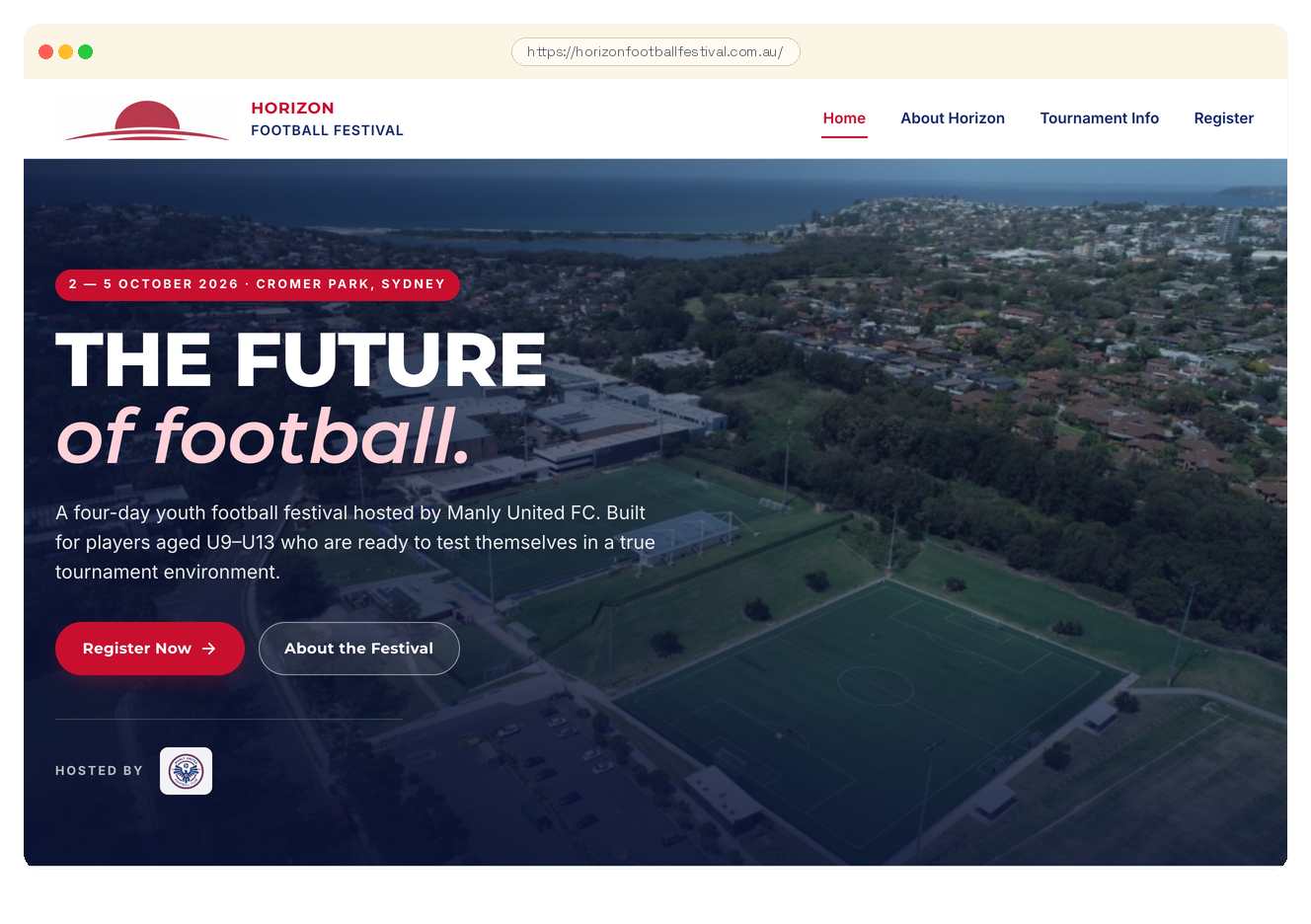
Everything below is drawn from your homepage and about page as we found them today. If we've got something wrong, tell us and we'll correct it.
What you do Horizon Football Festival 2026 is a four-day youth football tournament hosted by Manly United FC at Cromer Park on Sydney's Northern Beaches, running 2–5 October 2026. It is open to clubs, academies, and individual teams, with six age groups across mixed and girls divisions from U9 to U13.
Who you are The festival positions itself around player development and competitive experience, describing its aim as giving players aged U9–U13 the opportunity to "test themselves, embrace new challenges, and create lasting memories" in a structured tournament environment.
Where we think you sit In our experience, event and festival sites like this one carry a particular digital burden: they need to convert a visiting coach or team manager in a single session, often months before the event date, and then hold that registration intent across a long lead time. Technical or trust issues that might be tolerable on a general brochure site tend to have a more direct cost here, because the registration window is finite.
With that in mind, here's what we found. Each finding is laid out the same way — what's happening, who gets hurt if it isn't addressed, why it's commonly missed, what it costs you if it goes wrong, and how we'd fix it. Technical detail is tucked behind a toggle for anyone who wants to see the working.
What's happening Your site has a setting that tells browsers to always use the encrypted version — but it expires so quickly that browsers forget the instruction within weeks.
Why it matters During the gap, a visitor on a compromised network like a café's Wi-Fi could be quietly downgraded to an unencrypted connection, where login details or form data travel in plain text and can be intercepted.
The fix We'd extend the setting to a one-year window, add the right supporting directives, and submit your domain to the browser preload list so the protection applies before a visitor even arrives. About 30 minutes of work.
Read full finding →What's happening Your DMARC record is published but set to monitor-only mode — it collects reports about mail claiming to be from your domain, but tells receivers to do nothing about suspicious messages.
Why it matters Forged emails carrying your domain name still reach your customers' inboxes, and because a policy technically exists, neither you nor your provider is likely to treat it as an open gap.
The fix We review the reports already accumulated, confirm legitimate senders pass correctly, then advance the policy to quarantine and eventually reject in a staged transition — two to four weeks of review, then a single DNS edit.
Read full finding →What's happening Every contact address on the site uses a different domain from the one visitors just landed on, so the email and the website don't visibly belong together. Sites with this pattern tend to see a small but real drop in first-contact enquiries from cautious registrants. Adding a matching email address and forwarding it to the existing inbox is about a 30-minute DNS and mailbox change.
Read full finding →What's happening Without a Content-Security-Policy, your visitors' browsers will load and run anything your page references — from any source, without restriction.
Why it matters If an attacker injects content through a plugin vulnerability or a hijacked third-party script, there's nothing telling your customers' browsers to refuse it — credentials, payment details, and form data can be taken silently.
The fix We configure a policy listing every legitimate source your site loads from and instructing browsers to block everything else — a few hours to build, a week or two in report-only mode to confirm nothing legitimate is caught, then enforcement.
Read full finding →What's happening A script loaded from an external CDN has no tamper-check attached. If that CDN were compromised, the altered script would run unchallenged. Sites in this configuration typically face indirect risk — low probability but high consequence. Adding a single integrity attribute to the script tag closes the gap in under 30 minutes.
Read full finding →What's happening Without a frame-blocking header, your website can be embedded invisibly inside another site, with a transparent overlay sitting on top capturing your visitors' clicks and redirecting their actions.
Why it matters A logged-in visitor thinks they're clicking a button on your site; they're actually triggering something else entirely on their authenticated session — payment confirmations, account changes, and bookings are the common targets.
The fix We add a two-line configuration change telling browsers to refuse to render your site inside another site's iframe — under 30 minutes, and your own site embedding its own pages still works fine.
Read full finding →What's happening Browsers are designed to guess a file's type if the server's labelling seems off — without a header turning off that guessing, a browser could treat an uploaded image or document as something executable.
Why it matters Visitors on any site with user uploads are most exposed: if an attacker can upload a file that the browser misreads as a script, it runs in the visitor's browser without warning.
The fix We add a single header line telling every browser to trust only what your server declares — no guessing, no effect on legitimate traffic, done as part of the security-headers pass we run on all managed clients.
Read full finding →What's happening Your DMARC record includes a reporting address, but it's formatted incorrectly — mail receivers that follow the standard are required to discard addresses they can't parse, so none of the spoofing reports are arriving anywhere.
Why it matters You're flying blind: there's no data showing whether your domain is being used in fraud attempts or whether your current senders are passing authentication correctly.
The fix We correct the reporting address to a valid format — a one-line DNS change, under five minutes, with reports starting to arrive from major receivers within 24 hours.
Read full finding →What's happening Every time a visitor clicks an external link from your site, their browser sends the full URL of your page — including any query strings, session tokens, or password-reset links — to whoever owns the destination site.
Why it matters Your visitors' sensitive URL parameters end up in third-party analytics and advertising logs you don't control; if a password-reset link appears in an external server's logs, that's a privacy disclosure under the Australian Privacy Act regardless of whether anyone misuses it.
The fix We set a single Referrer-Policy header that passes your domain name to external sites — enough for their analytics — without including page paths, tokens, or query strings. Minutes to configure.
Read full finding →What's happening Without a Permissions-Policy header, every third-party script your site loads — analytics tools, chat widgets, advertising pixels — inherits the ability to request browser features like camera, microphone, and geolocation, with no site-level instruction limiting them.
Why it matters If any one of those scripts is ever compromised or changes behaviour, your visitor sees an unexpected browser permission prompt and has no way to know it isn't coming from you — and many will simply close the tab and not return.
The fix We set a Permissions-Policy header explicitly denying every browser feature your site doesn't use — a one-time configuration as part of the security-headers pass, with specific features enabled only if you genuinely add them later.
Read full finding →Each of these is true and worth fixing eventually, but none is urgent on its own. We've grouped them so they don't drown out the findings that are. Click any one to read the full detail.
What's happening The site invites team registrations and contact enquiries — both of which collect personal information — but publishes no privacy policy anywhere on the page or in the footer. Under the Privacy Act 1988 and the Australian Privacy Principles, organisations collecting personal data are required to make a privacy policy readily accessible. Sites in this position tend to face regulatory exposure if a complaint is filed or a data incident occurs, with no documented policy to demonstrate compliance. Publishing a clear privacy policy page and linking it from the footer is a straightforward fix — typically a few hours of drafting and one small footer code change.
Read full finding →What's happening The site accepts team registrations but publishes no Terms & Conditions. Without agreed terms, cancellation and refund rules tend to be unenforceable if a dispute reaches a tribunal. A single linked T&C page covering entry fees and liability closes the gap — typically a 1–2 hour task.
Read full finding →What's happening Your Australian Business Number isn't visible on the website. An ABN displayed in the footer is a trust signal, a B2B expectation, and in some industries a legal requirement.
Why it matters Visitors verifying your business legitimacy can look up an ABN on the ABR; its absence is one less verification path.
The fix We add 'ABN 12 345 678 901' to the footer of every page. Five minutes.
Read full finding →What's happening No mention of public liability insurance on the site. For trades, cleaners, personal trainers, mobile services — any business that visits customer premises — public liability insurance is something customers actively check for.
Why it matters Particularly costly for commercial / B2B work where contracts often require insurance confirmation upfront.
The fix If you carry it, we add 'Public liability insured to $Nm' to the footer. If you don't and your business should, that's a separate conversation.
Read full finding →What's happening A script loads synchronously in the page header, forcing the browser to pause before displaying anything to the visitor. Sites with this pattern typically score lower on Core Web Vitals, affecting search ranking. Adding a single `defer` attribute to the script tag fixes it in under five minutes.
▶ Watch as the page loads — elements jump when images and fonts settle. Captured at throttled 1.5 Mbps to show the shift at human speed. Read full finding →What's happening Your images don't tell the browser how much space to hold for them while they download, so as each image loads the page content below it jumps downward.
Why it matters Visitors who go to tap a button or read a line at the wrong moment end up tapping the wrong thing or losing their place — and Google measures this shifting behaviour directly as a ranking signal.
The fix We add the correct width and height values to every image element so the browser reserves the right space before the image arrives — a systematic pass across the site, typically a few hours.
▶ The image jump is visible mid-load — the browser had no width or height to reserve space, so layout shifts when the image arrives. Read full finding →Each of these is true and worth fixing eventually, but none is urgent on its own. We've grouped them so they don't drown out the findings that are. Click any one to read the full detail.
What's happening Screen readers use landmark elements like <main> to let users skip straight to the content — none is present here, so assistive technology users must navigate past every menu item manually. This tends to create real friction for visitors with disabilities and can attract DDA-related complaints for event sites collecting registrations. Adding a <main> wrapper around the primary content resolves it in about 10 minutes.
Read full finding →What's happening Some images on your site have the description field filled in, but what's there isn't useful — things like 'image', 'photo', or a camera filename — and a screen reader reads that text aloud word for word.
Why it matters Visitors using assistive technology hear filler that wastes their time and tells them nothing; Google's systems also recognise generic or keyword-stuffed alt text and get no useful signal from it.
The fix We'd review every image's alt text and rewrite anything generic or unhelpful into a plain, honest description of what the image actually shows — editorial work rather than technical, and a few hours across a typical site.
Read full finding →What's happening The scan found moderate accessibility issues — duplicate link text pointing to different destinations, slightly uncomfortable contrast, and heading structure that's grown inconsistent over time.
Why it matters Visitors using assistive technology feel the cumulative friction, and the site reads in any formal audit as one where accessibility was added as an afterthought rather than built in.
The fix We'd fold these into the same pass as the critical and serious fixes — the same CSS and copy-level work, just extended slightly. Usually no meaningful extra time once the bigger items are done.
Read full finding →What's happening Google currently shows fewer of your pages in search than your sitemap says exist — pages that aren't in Google's index can't bring in customers, no matter how good they are.
Why it matters The most common causes are accidental noindex tags, mis-configured robots.txt rules, or duplicate-content collapse — all invisible to you unless someone checks specifically.
The fix We diagnose the cause via Google Search Console, fix the underlying block, then request re-crawl. About 1-2 hours of diagnostic plus per-page fixes.
Read full finding →What's happening The site lists only an email address for all enquiries — there is no phone number anywhere on the page. Coaches or administrators who prefer a quick call before committing a team have no direct option, which typically adds friction to the sign-up decision. Adding a single phone number to the footer and contact section takes under 30 minutes.
Read full finding →Each of these is true and worth fixing eventually, but none is urgent on its own. We've grouped them so they don't drown out the findings that are. Click any one to read the full detail.
What's happening Your site has several mobile usability problems — touch targets too small to tap reliably, content spilling off the edge of the screen, or text requiring pinching to read.
Why it matters The visitor trying to tap your contact button on their phone gives up and goes back to search results; Google also uses mobile usability as a ranking signal, so the problem reduces how many visitors arrive in the first place.
The fix We'd fix the specific issues identified — button sizes, viewport configuration, body text size — as a packaged half-day of targeted mobile-foundations work.
Read full finding →What's happening On a tablet or a phone held sideways, your site spills past the edge of the screen and forces visitors to scroll sideways to read it.
Why it matters Tablet visitors — often the ones spending the most time considering a purchase — hit a broken layout and quietly lose confidence in the business behind it.
The fix We'd track down the element causing the overflow — usually one oversized image or a fixed-width component — and correct the CSS so every screen size fits cleanly. One to two hours of work.
Read full finding →What's happening Your website is served directly from your hosting server with no buffer layer in front of it — so every request, legitimate or otherwise, hits the server directly.
Why it matters If traffic spikes during a promotion, a press mention, or a deliberate flood of fake requests, your server can tip over and your site goes offline precisely when the most people are trying to reach it.
The fix We'd route your domain through Cloudflare, which sits between the internet and your hosting server and filters traffic before it arrives; a one-off setup of a few hours, with the change live within a day.
Read full finding →SDG fixes everything you just saw, then keeps watch so it doesn't come back. This audit is the starting line — most of our clients stay with us for the ongoing build, content, SEO, and the maintenance that stops audits like this from being needed again.
Tailored to your site, not a stock package. The prices below are calculated from the specific issues we found on your site — not a generic menu. A cleaner site pays less; a site with more to address pays more. You’re paying for the actual work, not a tier ceiling.
We don’t proceed without a conversation. Whichever tier you pick, the engagement starts with a phone call — fifteen minutes, no pitch. The audit puts the findings in front of you; the call puts a face to the name. We’d genuinely rather meet over a coffee in Avalon if you’re local — either way, no work begins until we’ve talked.
Your audit found 2 high-severity issues across compliance, security, plus performance and polish items that materially affect how your site performs. Surf addresses the lot end-to-end.
The must-fixes — compliance, security, and anything legal or financial.
Beach plus the work that gets your site performing properly.
Everything in Surf plus every low-severity polish item — 26 hygiene fixes thrown in for free.
Prices are calculated from the actual findings on horizonfootballfestival.com.au at a fixed rate of $250 + GST per remediation unit. A unit reflects the full engagement effort — work, verification, customer handoff — not just delivery time. Quoted prices are fixed once accepted; no scope creep.
A complete review of a business needs more than a public-surface audit can deliver. The lines below set out — explicitly — the questions this report cannot answer, so you know where its boundaries are.